
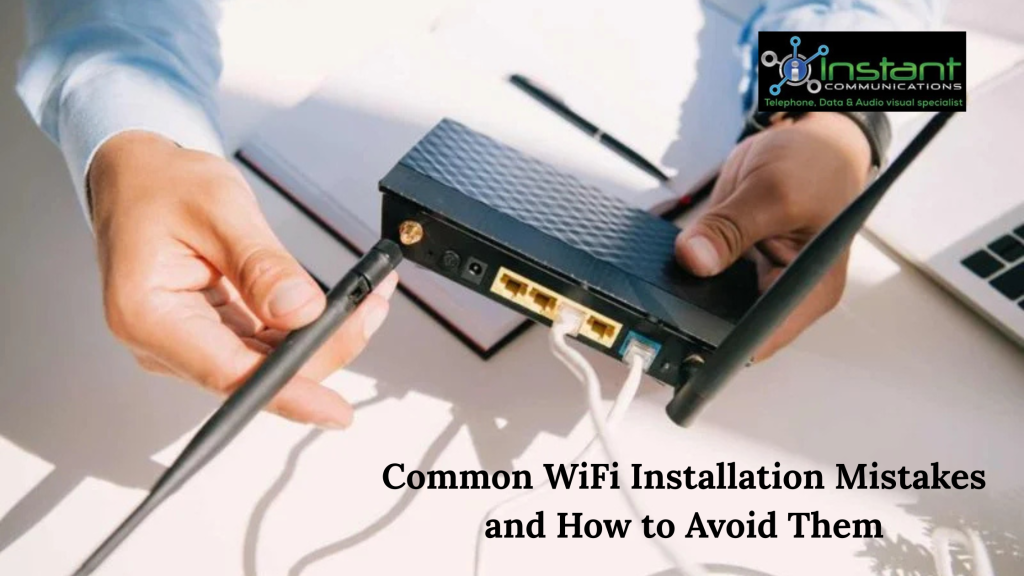
A strong and reliable WiFi connection is essential for both homes and businesses today. From streaming and online meetings to smart devices and daily browsing, everything depends on a stable internet connection. However, many people face slow speeds, weak signals, or frequent dropouts due to simple WiFi installation mistakes. The good news is that most of these issues can be avoided with the right approach.
In this blog, we’ll explore common WiFi installation mistakes and how you can avoid them to enjoy seamless connectivity.
1. Placing the Router in the Wrong Location
One of the most common mistakes is placing the router in an unsuitable location. Many people keep it in a corner, behind furniture, or inside cabinets to keep it out of sight. Unfortunately, this can block the signal and reduce coverage.
How to avoid it:
Place your router in a central, open area of your home or office. Keep it elevated, such as on a shelf or table, and away from walls or obstructions. A well-positioned router ensures better signal distribution throughout the space.
2. Ignoring Signal Interference
WiFi signals can be affected by interference from other electronic devices such as microwaves, cordless phones, and Bluetooth devices. Thick walls, metal objects, and even large mirrors can also disrupt the signal.
How to avoid it:
Keep your router away from devices that may cause interference. If possible, use dual-band or tri-band routers that can switch frequencies to reduce congestion and improve performance.
3. Choosing the Wrong Router
Not all routers are the same. Using an outdated or low-quality router can limit your internet speed and coverage, especially in larger spaces or high-demand environments.
How to avoid it:
Choose a router that matches your internet plan and usage needs. For larger homes or offices, consider mesh WiFi systems or high-performance routers designed for wider coverage and multiple devices.
4. Poor Network Security Setup
Many users overlook WiFi security during installation, leaving their network vulnerable to unauthorized access. An unsecured network can slow down your connection and put your data at risk.
How to avoid it:
Always set a strong password for your WiFi network and use modern security protocols like WPA3 or WPA2. Avoid using default usernames and passwords, as these are easy for hackers to guess.
5. Not Updating Firmware
Router firmware updates are often ignored, but they play a crucial role in maintaining performance and security. Outdated firmware can lead to bugs, slower speeds, and security vulnerabilities.
How to avoid it:
Regularly check for firmware updates from your router manufacturer and install them as needed. This ensures your network runs smoothly and stays protected.
6. Overloading the Network
Connecting too many devices to a single router can overload the network, causing slower speeds and connectivity issues. This is especially common in modern homes with multiple smart devices.
How to avoid it:
If you have many devices, consider upgrading to a router that supports higher capacity or use a mesh network system. You can also disconnect devices that are not in use to reduce the load.
7. Skipping Proper Configuration
Some people rush through the installation process and stick with default settings, which may not be optimized for their needs. This can result in poor performance and limited functionality.
How to avoid it:
Take the time to configure your network settings properly. Adjust channel settings, enable quality of service (QoS) for important devices, and customize your network name and password for better control.
8. Not Testing Signal Strength
After installation, many users assume their WiFi is working perfectly without testing coverage in different areas. This can lead to unnoticed dead zones where the signal is weak or unavailable.
How to avoid it:
Test your WiFi signal in all rooms using a smartphone or WiFi analyzer app. If you find weak spots, consider adding range extenders or repositioning your router to improve coverage.
9. Using a Single Router for Large Spaces
A single router may not be enough to cover large homes, multi-story buildings, or office spaces. This often results in uneven signal distribution and connectivity issues.
How to avoid it:
For larger areas, use mesh WiFi systems or additional access points to ensure consistent coverage. These solutions help eliminate dead zones and provide a seamless connection throughout the space.
10. Attempting Complex Installations Without Expertise
While basic WiFi setup can be simple, more complex installations—such as those for large offices or multi-device environments—require technical knowledge. DIY attempts can lead to improper setup and ongoing issues.
How to avoid it:
Consider hiring professionals for complex installations. They can assess your space, recommend the right equipment, and ensure everything is set up for optimal performance.
Conclusion
Avoiding common WiFi installation mistakes can make a significant difference in your internet experience. From choosing the right router and placement to ensuring proper configuration and security, each step plays a vital role in achieving fast and reliable connectivity.
If you want a hassle-free setup and expert guidance, instantcommunications offers professional WiFi installation services tailored to your needs. With the right support, you can enjoy strong, stable, and secure internet connectivity throughout your home or business.